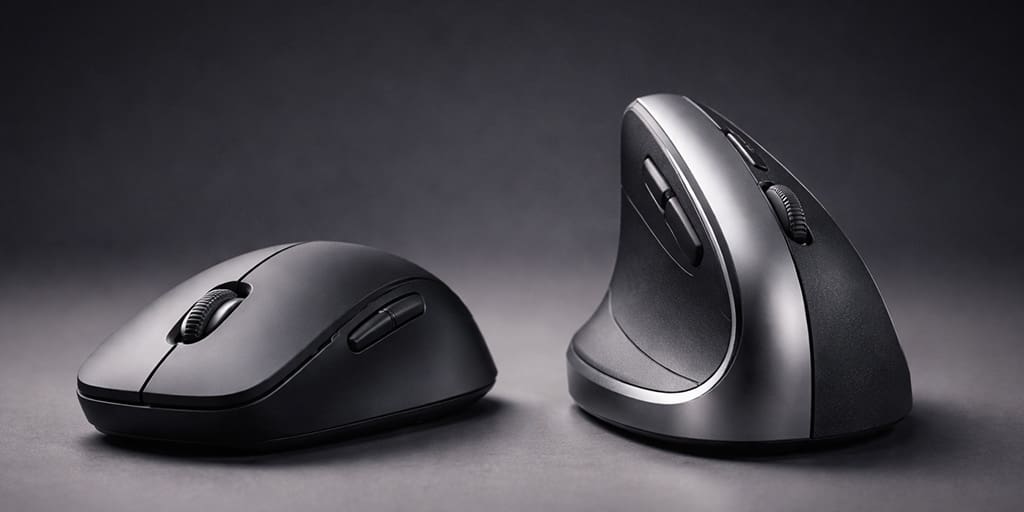
Using a standard computer mouse for several hours a day can increase exposure to biomechanical risk factors linked to hand and wrist discomfort. A controlled lab study comparing standard and vertical designs found that a vertical mouse reduces pronation and wrist extensor muscle activity, but with a trade-off in initial pointing speed.
How a vertical mouse changes posture
The core benefit of a vertical mouse is how it repositions the forearm toward a more “handshake-like” grip. In the study, the vertical mouse reduced pronation to 28 degrees compared with 42 degrees for a standard mouse.
Wrist deviation also shifted: the vertical mouse condition averaged 5 degrees ulnar deviation, while the standard mouse averaged 7 degrees radial deviation. In other words, it shifts away from radial deviation and closer to neutral around 0 degrees. This kind of alignment change fits into broader strategies for reducing physical stress during long desk or shift work, including workplace health and accident prevention.
Impact on muscle activity and fatigue
The study measured muscle activity via EMG during mouse tasks. With the vertical mouse, wrist extensor activity was lower: extensor carpi dropped from 16% to 13% MVIC, and extensor digitorum from 13% to 10% MVIC.
Lower sustained activation can plausibly reduce fatigue over long sessions, assuming the device fits the user’s hand and the grip feels stable.
The performance trade-off and clinical limits
Ergonomic gains do not automatically mean better short-term performance. In the pointing task, time to target was slower with the vertical mouse (4.2 seconds vs 3.4 seconds). The authors explicitly note that additional training and familiarisation may be needed to close that gap.
Also, improved posture is not the same as changing internal physiology. In a separate study in 21 patients with carpal tunnel syndrome, carpal tunnel pressure increased during mouse use, and none of the tested ergonomic devices, including the vertical mouse, reduced that pressure. The authors conclude that device choice remains preference-driven rather than something that can be strongly recommended for or against in CTS purely on pressure outcomes. For practical decision-making, it can help to match your hardest work to your body clock so that fine-motor tasks happen when you feel most steady.
Sources and related information
PubMed – Biomechanics and performance when using a standard and a vertical computer mouse – 2013
This controlled lab comparison study tested 16 participants and compared a vertical mouse to a standard mouse using EMG, electrogoniometers, and a Fitts’ Law pointing task. It found that while vertical designs reduce pronation and wrist extensor activity, initial pointing was slower and the authors note that familiarisation may be needed.
PubMed – A vertical mouse and ergonomic mouse pads alter wrist position but do not reduce carpal tunnel pressure in patients with carpal tunnel syndrome – 2015
This clinical physiology study measured carpal tunnel pressure in 21 patients with carpal tunnel syndrome and tested several ergonomic devices. The authors report that none of the devices reduced carpal tunnel pressure, which supports preference-driven device selection in CTS.